otter ai alternatives: How to Choose and Switch Without Disruption
Compare otter ai alternatives with a practical framework, shortlist by use case, and a switch checklist so you can replace Otter confidently—read on.
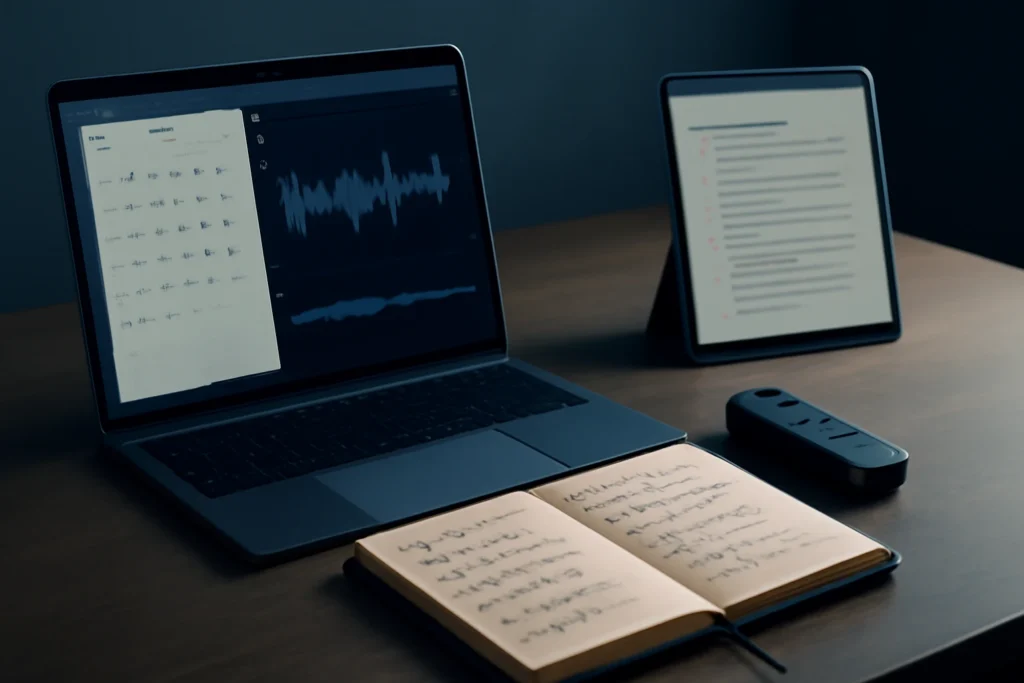
Introduction: Why people look for otter ai alternatives
Most people searching for otter ai alternatives aren’t chasing novelty—they’re trying to fix a workflow that breaks under real meeting conditions. The trigger is usually a mix of unreliable speaker labeling, summaries that need too much rewriting, missing integrations, privacy concerns, or costs that climb once a team standardizes on one tool.
Switching pain points usually cluster around five areas. Accuracy drops with accents, cross-talk, or weak microphones; some teams also need stronger ways to correct domain vocabulary. Others hit pricing friction when adding seats, increasing meeting hours, or needing admin features. And many teams want better downstream workflows: getting decisions and action items into the tools where work actually happens.
“Better than Otter” is rarely about a slightly cleaner transcript. The outcomes that matter are usable notes your team trusts, searchable knowledge you can retrieve weeks later, and shareable action items that don’t die in a meeting recap. If an alternative improves those outcomes—even if raw transcript accuracy is similar—it can be the better replacement.
otter ai alternatives: A selection framework that prevents the wrong pick
Define your primary capture workflow (Zoom/Meet/Teams bot vs local recording vs upload)
Start with how audio is captured, because it dictates reliability, permissions, and how much work users must do. Meeting bots are convenient, but they may be restricted by company policy or require attendee consent depending on your organization and jurisdiction. Local recording (desktop/mobile) can be easier to approve in strict environments, but it depends on each user remembering to record and upload.
If your meetings happen across multiple platforms, prioritize a tool that can cover them consistently: scheduled joins from the calendar, fallback recording options, and simple upload for the meetings that escape automation. Also confirm whether the tool handles hybrid setups (one room mic plus remote attendees) without turning the transcript into a jumble.
Define your note output needs (summary styles, action items, decisions, timestamps)
Write down what “done” looks like after a meeting. Do you need bullet summaries, decisions, action items with owners, or time-stamped highlights for quick review? The right choice is the tool whose default output matches your team’s habits, so you’re not constantly reformatting or rebuilding a summary in Slack.
Be realistic: no app produces perfect summaries for every meeting type. Cross-talk, unclear facilitation, and jargon all increase “edit distance”—how much rewriting humans must do before notes are shareable.
Define your collaboration needs (sharing, permissions, workspaces, folders, comments)
Individual note-takers can tolerate messy organization; teams can’t. Look for workspaces, foldering or collections, sensible default sharing, and permission controls that map to real groups (sales team, recruiting, leadership). If you frequently share externally, confirm what recipients can see and whether links can be revoked without breaking internal access.
Define your integration needs (calendar, CRM, docs, Slack, Zapier, API)
Integrations are where “notes” turn into “workflow.” Calendar and conferencing integrations determine meeting coverage; Slack and email determine adoption; docs and project tools determine whether notes become a living record. If you operate in RevOps or CS, CRM sync can matter more than transcript quality because it reduces manual logging and makes call context discoverable later.
Also decide whether you need automation tooling (Zapier-like) or an API for custom flows. A tool can be solid in its UI but still be wrong for your org if you can’t get outputs into your systems reliably.
Define your governance needs (data retention, SSO, SOC2/GDPR/HIPAA considerations)
Governance is often why teams move off a general-purpose transcription app. Confirm options for retention and deletion, access controls, link sharing settings, and SSO. If you’re in regulated environments, involve security early and confirm whether meeting bots are allowed at all—many rollouts fail here, not on transcript quality.
What to compare first (the criteria that actually change daily usability)
Transcription accuracy controls: accents, noisy rooms, domain vocabulary, custom terms
Transcription quality varies significantly by microphone quality, accents, speaking speed, and cross-talk—no alternative is consistently perfect. Instead of judging one demo transcript, test with your own recordings that reflect your reality: a weak laptop mic, a conference-room speakerphone, and at least one call with interruptions.
Prioritize tools that let you improve results through vocabulary/custom terms, language settings, and easy corrections. Also check whether corrections “stick” for future meetings. If your team uses product names, acronyms, or customer-specific terminology, the ability to manage custom terms can be the difference between “mostly usable” and “constantly annoying.”
Speaker identification and diarization quality (how often you must fix speakers)
Speaker labeling is one of the fastest ways to lose trust. Evaluate how often you have to correct speakers, whether the tool can learn recurring participants, and how it behaves in common failure modes (two people with similar voices, someone joining from a phone, or a conference-room mic picking up everyone). If you want a quick primer on why this is hard, speaker diarization is the underlying problem most meeting tools are trying to solve.
If your workflow includes quoting specific people (interviews, research, decisions), diarization quality matters as much as word accuracy. For sales coaching, wrong speakers can also corrupt talk-time and coaching metrics.
Summary quality and “edit distance” (how much rewriting the summary needs)
Summaries should reduce work, not create it. Compare whether outputs are structured the way your team shares notes: headings for topics, explicit decisions, and action items with owners. Then measure edit distance by asking: “Can I send this as-is to stakeholders without rewriting half of it?”
Judge summaries on usefulness, not elegance. A plain but accurate action list usually beats a beautifully written recap that misses key commitments.
Search and retrieval (keyword search, semantic search, highlights, moments)
The long-term value is retrieval: finding what was said and why decisions were made. Test keyword search (names, projects) and whether the tool supports more flexible retrieval (topics, questions, similar moments). Also check how highlights are created—manual clips, auto-detected “moments,” or both.
If your team frequently revisits customer requirements, interview quotes, or commitments, look for exports that maintain timestamps and links back to audio. That makes it easier to audit and prevents arguments over “I never said that.”
Reliability and meeting coverage (missed meetings, late joins, partial recordings)
Reliability is underrated until it breaks. Validate whether the tool joins on time, handles recurring meetings, and records the full session without gaps. Meeting bots can fail silently due to policy restrictions, waiting rooms, or host settings—plan for fallbacks like local recording or quick uploads.
Also verify how the tool behaves when you join late or switch devices. A small reliability issue becomes a trust issue once a team depends on it for weekly planning or customer calls.
Practical shortlist by use case (when each type of tool beats Otter)
For recurring team meetings: automated agendas, decisions, action items, follow-ups
Teams that run weekly standups, planning, or leadership syncs often benefit most from meeting-first tools that structure outcomes: decisions, action items, and follow-ups. Look for consistent templates, easy sharing to a workspace, and good organization for recurring series so you can reference “what we decided last week” without digging.
Whatever you pick, confirm it can handle recurring meetings without missing sessions and that it won’t violate internal policies when joining calls. Make one person responsible for validating capture reliability in week one—otherwise you’ll only find failures after a meeting you can’t re-run.
For sales and customer calls: coaching, deal context, CRM sync, call libraries
Sales and CS teams often outgrow general transcription apps because they need coaching workflows, libraries by account, and CRM updates. In this category, evaluate talk tracks, objection tagging, next steps extraction, and how well data lands in your CRM fields. The “best” tool is usually the one your reps will actually use without extra steps.
Also scrutinize permissions and external sharing. Customer calls can contain sensitive information, and not every org is comfortable with a meeting bot auto-joining external meetings without clear consent language.
For interviews and research: consent, long-form transcripts, export, tagging
Researchers and recruiters need clean exports, long-form transcript handling, and simple tagging for themes. Prioritize a consistent consent workflow, fast speaker correction, and robust export formats you can bring into your analysis process.
For this use case, a pure “upload audio and transcribe” tool can beat meeting-bot products, because it reduces policy friction and supports long recordings more predictably. Timestamps and stable speaker labels matter a lot when you’re pulling quotes or building a research repository.
For high-privacy environments: local processing, strict retention, admin controls
If privacy and compliance are the driver, consider approaches that minimize cloud exposure: local recording, on-device transcription, or self-hosted/open-source speech-to-text pipelines. These can reduce risk, but they usually require more setup, less polished UX, and more responsibility for access control and retention.
Even with a cloud tool, you can improve posture by choosing stricter retention, limiting sharing, and requiring SSO. Make governance decisions first, because a tool that violates policy is unusable no matter how good the summaries are.
For creators and podcasters: long audio, multi-track handling, editing-friendly exports
Creators typically care less about calendar bots and more about editing workflows. Look for support for long audio, reliable timestamps, and exports that fit into your editing process (clean text exports, markers, and easy clip selection). If you record multi-track audio, confirm whether the tool can ingest it cleanly or whether you’ll need to mix down before transcription.
If your workflow is closer to “record, edit, publish” than “meet, decide, share notes,” it’s worth comparing creator-oriented options rather than meeting-note products. Our Descript alternatives guide is a practical starting point if you’re prioritizing editing plus transcription.
Also be honest about recording quality: room echo and overlapping voices will degrade any automatic transcript. In those cases, better mic technique can outperform switching tools.
MeetGeek as a strong baseline alternative (what to expect in the real workflow)
otter ai alternatives for automated meeting notes: where MeetGeek tends to outperform
MeetGeek is a useful baseline for teams evaluating otter ai alternatives because it focuses on turning meetings into an organized, shareable library with structured outputs. In practice, that usually means clearer meeting summaries, more consistent action items, and a workflow designed for recurring meetings rather than one-off transcription.
It can also be a better fit when you need team-level organization (workspaces and shared visibility) and want meeting capture to happen automatically from the calendar. The clearest way to validate this category of tool is not feature lists—it’s whether your team actually reuses the notes a week later without hunting.
Where MeetGeek may not be the best fit (edge cases and constraints)
Like many meeting-bot tools, it may not work well in environments where bots are restricted, where consent requirements are strict, or where hosts routinely use waiting rooms that block automatic joins. If your organization mandates local-only processing or has unusual retention rules, a different approach may be required.
It may also be less ideal if your main workflow is long-form audio editing or multi-track podcast production, where creator-oriented tools can offer more editing-friendly exports. For teams that rely heavily on recorded walkthroughs or async updates, you may also want to compare meeting-note tools against “recording-first” options (for example, see our Descript vs Loom verdict for how those workflows differ).
Costs can rise with more seats, more meeting volume, and advanced admin needs—calculate total cost based on monthly meeting hours and collaborators who need access, not just the entry plan.
A quick trial plan: 3 meetings, 30 minutes of setup, concrete success metrics
- Set up capture: connect your calendar, choose how meetings are recorded (bot vs manual/upload), and confirm consent/policy requirements for your organization.
- Run three real meetings: one noisy/hybrid meeting, one fast-paced team meeting with cross-talk, and one clean 1:1.
- Score outputs: speaker labeling corrections needed, summary edit distance, action item accuracy, and whether search helps you retrieve a detail the next day.
- Test distribution: can you share to the right people with the right permissions, and can you push notes to your “source of truth” (docs/Slack/CRM) with minimal friction?
Switching checklist: migrate from Otter with minimal disruption
Inventory what you must preserve (folders, shared links, exports, templates, tags)
Before you switch, list what can’t break: key folders, recurring meeting series, and any notes you frequently share. Export the content you truly need long-term (transcripts, summaries, and audio where allowed). Assume that shared links and exact folder structures won’t port perfectly between products, and plan a lightweight archive approach you can reference without rebuilding everything.
Decide your “source of truth” for notes (doc tool, CRM, project tool) before migrating
A common failure mode is using the meeting tool as the only repository. Decide where finalized notes should live for your org—docs, CRM, or a project tool—then use the meeting product as capture and processing. This prevents lock-in and makes future tool changes less painful.
If multiple teams have different sources of truth, document that intentionally (for example, sales notes to CRM; product research notes to docs). Consistency beats perfection.
Rollout plan for teams: permissions, naming conventions, and training in 30 minutes
Keep rollout simple: define workspaces, default sharing rules, and a naming convention that matches how people search (customer name + date, or project + sprint). In a 30-minute training, focus on two behaviors: how to find notes later and how to correct speakers/terms when the tool gets it wrong.
Also set expectations: summaries will not be perfect every time, especially with poor audio. The goal is reducing manual effort, not eliminating it completely.
Validation: measure accuracy, summary usefulness, and time saved after 2 weeks
After two weeks, evaluate with real evidence: how often people referenced notes, how many action items were actually captured, and whether search reduced “Can someone recap?” messages. Ask a few users to re-score edit distance and speaker correction time compared to your previous setup.
If costs are a concern, recalculate based on actual meeting volume and the number of collaborators who need access. This is where tools that looked inexpensive at the start can become expensive at team scale.
Wrap-up: picking the right replacement in 10 minutes
The fastest decision rule (match capture method + governance + integration)
To choose quickly, match three constraints first: capture method (bot/local/upload), governance (consent, retention, SSO/compliance needs), and integrations (where notes must land). Once those fit, compare daily usability: speaker labeling, summary edit distance, reliability, and retrieval. That sequence prevents buying a tool your org can’t deploy.
What to test before you commit to an annual plan
Before committing long-term, test with your hardest meetings and confirm the tool doesn’t miss recordings. Validate sharing and permissions with real stakeholders, and confirm whether meeting bots are allowed under your policies and legal requirements. Finally, price it like an operator: seats plus monthly meeting hours plus any admin add-ons, so you don’t get surprised later.
Frequently Asked Questions About otter ai alternatives
What are the best otter ai alternatives for Zoom and Google Meet?
Prioritize tools that join meetings via a calendar-connected bot (or provide reliable Zoom/Google Meet integrations), then test meeting coverage: did it join on time, record the full call, and label speakers acceptably? Also confirm your organization allows meeting bots and that participants are informed as required.
Which Otter alternative has the best action items and meeting summaries?
“Best” depends on your meeting type and how structured your discussions are. Tools that emphasize meeting intelligence often produce clearer decisions and action items, but cross-talk and weak audio still degrade results. Run the same three meetings through two options and compare how much editing you must do before you can share the notes.
Can I migrate my Otter transcripts and notes to another tool?
Usually, yes—by exporting transcripts (and audio, if available), then importing or attaching them in the new system, or moving the content into docs/CRM as your long-term archive. What rarely transfers cleanly are shared links, folders, and exact timestamp structures, so plan for a hybrid period and a simple archive strategy.
What should I test in a free trial before switching from Otter.ai?
Test with your real audio: a noisy call, a cross-talk meeting, and a clean 1:1. Evaluate speaker labeling, summary usefulness, search, and export formats. Confirm integrations (calendar, Slack, docs, CRM) and governance needs (SSO, retention). Then calculate total cost using seats plus monthly meeting hours, not just the entry plan.
Some links in this article are affiliate links. If you buy through them we may earn a commission, at no extra cost to you. It never affects which tools we recommend.
Tools covered in this guide
 MindStudio
Build and deploy customizable AI agents and workflows without traditional coding.
Free plan available
MindStudio
Build and deploy customizable AI agents and workflows without traditional coding.
Free plan available
 Castmagic
Turns recorded conversations into transcripts and ready-to-edit marketing content.
From ~$21/mo
Castmagic
Turns recorded conversations into transcripts and ready-to-edit marketing content.
From ~$21/mo
 Gamma
Create presentations, documents, and webpages with AI-assisted layouts and content.
From ~$10/mo
Gamma
Create presentations, documents, and webpages with AI-assisted layouts and content.
From ~$10/mo