fliki vs invideo: Which AI Video Tool Should You Choose?
fliki vs invideo: a workflow-first comparison to pick the right tool for shorts, promos, or explainers. Get a clear verdict—read on.
Intro: fliki vs invideo in one minute
If you’re deciding between fliki vs invideo this week, the fastest way to choose is to match the tool to how you actually produce videos: do you start from a script and a voiceover, or do you start from visuals and an edit? This comparison is built around real publishing workflows (Shorts, promos, simple explainers), not a feature checklist.
Who this comparison is for (and who should skip it)
This is for creators, marketers, and small teams who want an AI video tool that reliably turns input into a publishable draft without living inside a full editor. You should skip this comparison if you need complex motion graphics, frame-accurate timing, advanced compositing, or multi-layer sound design. In that case, you’ll be happier in a dedicated editor (a non-linear editor; see non-linear editing) rather than expecting Fliki or InVideo to replace it.
fliki vs invideo: the two workflows that decide everything
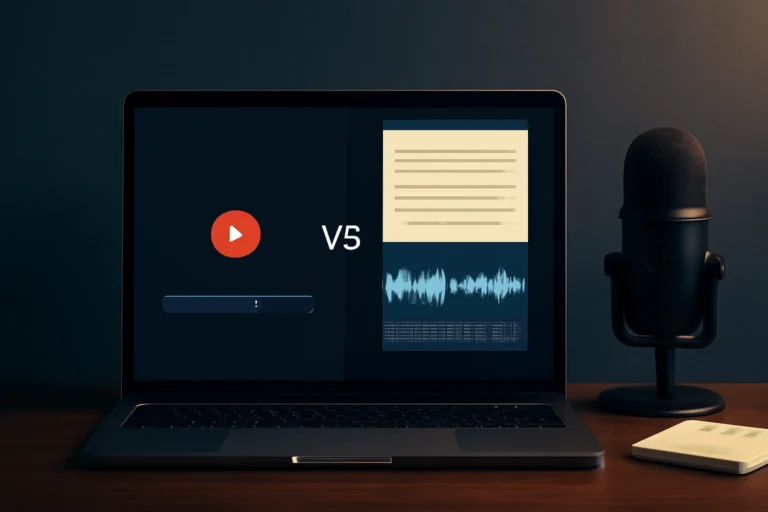
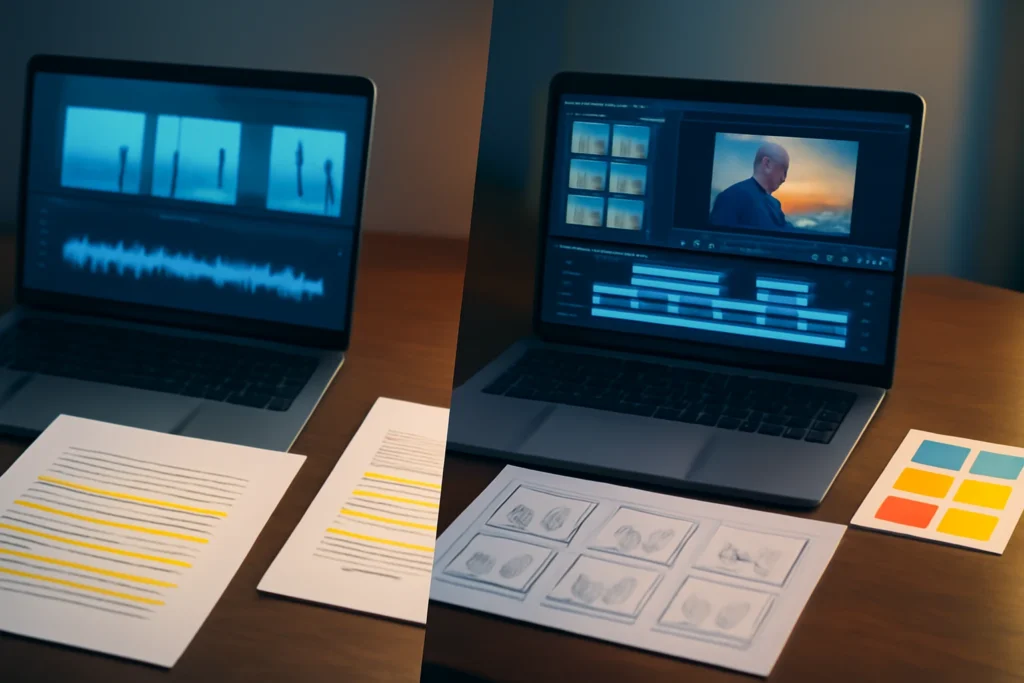
Here’s the decision that matters more than any individual feature: Fliki is typically script-first (text → scenes → narration → visuals), while InVideo is more editor-first (template → visuals → timeline edits → finishing). Pick based on what you already have in hand. If you have a clean script and you want the voice track to lead, you’ll move faster with Fliki. If you have assets, a visual style to execute, and you like shaping pacing and layout, InVideo usually fits better.
fliki vs invideo quick verdict (pick this if…)
Choose Fliki if you start from a script and need fast narration-led videos
Choose Fliki when your content is driven by words: explainers, listicles, educational clips, and “talking-head alternative” videos where narration and captions do most of the work. It’s strongest when you can provide a clear script and you’re comfortable with scene-based assembly instead of timeline-heavy editing.
Choose InVideo if you start from a visual concept and need templates plus editing control
Choose InVideo when your output needs strong visual pacing: promos, trend-style Shorts, ads, and template-led content where transitions, overlays, and shot changes carry the energy. If you like starting from a template and then tightening the edit, InVideo tends to feel more natural.
The tie-breaker that makes the decision obvious
Ask: “What do I have right now—a script or assets?” If you have a script (or a blog post) and you need a narrated draft quickly, Fliki is usually the cleaner path. If you have clips, product shots, brand guidelines, and a visual concept you need to execute, InVideo is typically the better match.
Best use cases and typical outputs
Fliki best for: text-to-video explainers, narrated listicles, repurposing blog posts
Fliki is at its best when you want to convert text into scene blocks and pair it with narration and captions. Typical outputs include simple explainer videos, narrated “top 5” listicles, blog-to-video repurposes, and audiobook-style visuals where the voice track is the backbone.
InVideo best for: marketing promos, social ads, UGC-style edits, template Shorts
InVideo shines when the template and edit do the heavy lifting: marketing promos, social ads, UGC-style edits with quick cuts, and template-driven Shorts that match platform pacing. If your goal is “make it look native to the platform,” its template ecosystem and editor-style control can save time—as long as you’re not fighting the template to match your brand.
When neither is the right tool
If you need precise motion graphics, advanced compositing, or detailed audio mixing, neither tool is the right endpoint. Use a dedicated editor or motion-graphics software. And if your job is mostly trimming existing footage and polishing subtitles (rather than generating scenes), you may be better served by a captions-first or clip-cutter tool instead of a text-to-video workflow.
Workflow reality check (step-by-step)
Fliki workflow: script → scenes → voice → media → captions → export
- Start with an outline or full script (clean punctuation helps pacing).
- Break it into scenes (one idea per scene usually works best).
- Select a voice and adjust pronunciation or emphasis where available.
- Choose stock media or upload your visuals per scene.
- Review captions for line breaks and readability on mobile.
- Export, then spot-check for mismatched visuals and awkward pauses.
Reality check: auto scene suggestions can be “almost right.” The time sink is usually swapping B-roll that feels generic, off-topic, or repetitive—especially if the script uses abstract language.
InVideo workflow: template → assets → edit → polish → export
- Choose a template that matches your platform and pacing goal.
- Drop in clips, product shots, or select stock visuals.
- Edit timing, transitions, text overlays, and layouts.
- Use automation where it genuinely saves work, then manually review.
- Export and review on a phone screen for safe margins and caption size.
Reality check: templates speed up decisions, but they can also slow you down if you’re constantly overriding styles to match your brand, or if the auto-selected visuals don’t match your message.
Speed vs control: where each tool saves time (and where it costs you)
Fliki is fast when your narration is locked and you want a quick first draft from text; it slows down when you chase perfect B-roll alignment scene by scene. InVideo is fast when a template already matches your goal; it slows down when you keep iterating on pacing, layouts, and asset swaps to get the cut feeling right.
Output quality comparison (what viewers notice)
Voice and narration quality (tone, pacing, pronunciation)
Voice quality is often the first “AI tell.” Fliki is built around narration-led output, which can help explainers feel coherent—provided you refine the script and actively test pronunciation. InVideo can also handle voiceover-driven videos, but results depend on the voice options available to you, plan limits (for example voice minutes), and how much control you have over pacing after the voice is placed.
Visual consistency (branding, fonts, colors, transitions)
InVideo typically gives more hands-on control over visual consistency through templates and editor-style adjustments, which matters when brand fonts, colors, and transitions must stay tight. Fliki can keep things consistent for simple scene layouts, but the more designed your look needs to be, the more an editor-first workflow tends to help.
Stock footage and B-roll relevance
Both tools rely heavily on stock search and matching, and both can miss the nuance of your script. Plan for a manual pass: swap generic clips for specific ones, avoid repeating the same visual pattern, and use your own footage whenever it’s available. This B-roll pass is often the real deciding factor in whether your output looks “template-made” or intentional.
Captions and readability (styles, timing, burned-in vs optional)
Captions matter most on mobile: line breaks, size, contrast, and timing. Fliki’s scene-based approach can make caption timing straightforward for narration-driven videos, while InVideo can give more flexibility to match caption styling to a template’s design language. Before you commit, confirm whether your plan supports the export style you need (watermarks, resolution, and whether captions must be burned in or can be handled later in another step).
Editing depth and creative control
Scene-level control, timing, and pacing adjustments
InVideo generally offers more direct control over timing and pacing because it behaves more like an editor with templates. Fliki is efficient when you accept pacing driven by narration, but it can feel limiting when you want tight sync moments, fast rhythmic cuts, or more complex timing changes.
Brand kit and repeatable production systems
If you publish recurring promos, building a repeatable template system reduces decision fatigue—this is where InVideo often fits. Fliki can still support consistent styles, but it’s usually optimized for repeating a script-to-scenes process rather than developing a branded edit framework.
Revisions: swapping scenes vs swapping visuals
Fliki can be faster for script revisions: change the words, adjust scenes, update narration, and re-export. InVideo can be faster for visual revisions: swap clips, tweak layout, and keep the rest of the cut intact. In both, revision friction spikes when the first draft used “almost right” visuals—fixing the foundation always costs more than polishing the surface.
AI features that actually matter (and the traps)
Text-to-video reliability depends on your input
Text-to-video is most reliable when you provide structure: clear sections, concrete nouns, and specific visual direction. Fliki’s strength is turning that structure into a narration-led draft. InVideo can speed up assembly inside a template, but any script assistance still needs a human rewrite so it doesn’t drift into generic marketing phrasing.
How to judge auto-generated scenes quickly
Don’t judge by the first draft alone. Evaluate scene accuracy with one question: does each visual clarify the sentence, or does it merely decorate it? When a scene is off, replace it quickly rather than nudging it for ten minutes. Your input quality sets the ceiling: vague scripts and weak assets produce vague videos in both tools.
Localization and multi-language output: what to verify before paying
If you publish in multiple languages, verify voice availability and pronunciation quality for your target markets before you commit to a paid plan. Also confirm the limits that affect localization throughput (voice minutes, export caps, resolution gates, and watermark rules). Those constraints can quietly decide whether localization is smooth or painful.
Pricing and value (how to judge without memorizing tiers)
Compare what blocks publishing: watermarks, exports, resolution, voice minutes
Instead of trying to memorize plan tiers, compare the constraints that stop you from publishing: watermarks, export limits, resolution caps, voice minutes, stock usage restrictions, and whether brand kits/templates are included. In practice, the “best” plan is the one that removes your bottleneck without forcing workarounds.
Two common cost scenarios: solo Shorts vs small-team promos
For a solo creator shipping around a dozen Shorts a month, value usually comes down to time-to-first-draft and whether you hit voice/export limits. Fliki can be cost-effective if narration-led Shorts are your primary output. For a small team producing weekly promos, InVideo often makes more sense if templates, brand consistency, and iterative visual edits matter more than narration speed.
Hidden costs: fixing mismatched visuals, re-exports, voice retakes
The hidden bill is time: fixing stock selections that don’t match the message, re-exporting after a small caption change, and redoing voice segments due to pronunciation issues. Budget for that reality regardless of which tool you choose.
Ease of use, learning curve, and team fit
A practical beginner test: first publishable draft in under 30 minutes
A fair test is simple: can you import your script or assets, create a coherent first draft, and export a readable video in under 30 minutes? Fliki tends to win for script-first users because the workflow is linear. InVideo tends to win for people who are already comfortable browsing templates and making editor-like adjustments.
Collaboration and approvals (solo vs team)
Teams should look for predictable handoff points: who writes, who builds the draft, who approves visuals, and who owns final export. InVideo’s template/editor approach can be easier when multiple people need to review layout and pacing. Fliki can be easier when one person owns script and narration end-to-end and just needs a fast publishable cut.
Learning resources and template ecosystems
If you learn by copying patterns, templates and examples matter as much as features. InVideo’s strength is often its template ecosystem; Fliki’s strength is a simpler, repeatable script-to-video production line. Pick the one that matches how you prefer to learn and standardize output.
Final verdict and recommended decision path
If you publish narration-led content weekly—explainers, listicles, or educational clips—Fliki is usually the better fit because it gets you from script to export quickly. If you publish marketing edits where pacing and design are the product—promos, ads, and template-driven social cuts—InVideo is usually the better fit because it gives you more hands-on control over the edit.
If you’re still unsure, it can help to triangulate with similar comparisons: our breakdown of Pictory AI vs InVideo gives more context on template-led editing, and InVideo AI competitors is useful if you’re evaluating alternatives by workflow rather than buzzwords. If your use case is business presenters and avatar-style explainers, you may also want the practical verdict in Synthesia vs Colossyan.
30–60 minute test plan: compare time-to-first-draft and time-to-final
- Pick one real script (45–60 seconds) and one promo concept (same offer, different visuals).
- In Fliki: build the script-first version, then spend 10 minutes correcting wrong or repetitive visuals.
- In InVideo: build the template-first version, then spend 10 minutes tightening pacing and aligning visuals to the message.
- Compare time-to-first-draft, time-to-final, and the number of “almost right” fixes you had to do.
- Choose the tool that gets you to a confident publishable version with the least rework.
This keeps the decision grounded in what costs you time: not “features,” but the distance between a first draft and something you’d actually post.
Frequently Asked Questions About fliki vs invideo
Is Fliki better than InVideo for YouTube Shorts and TikTok?
It depends on what you start with. Fliki is usually faster if you have a script and want narration-led Shorts with captions. InVideo often wins if you need stronger visual pacing, template-driven styles, and tighter control over edits. If you can, test both with one real Short and measure how quickly you reach a version you’d publish.
Does InVideo or Fliki have more realistic AI voices?
Both can sound good, but “realism” varies by voice choice, language, and how clean your script is. Fliki is commonly used for narration-first workflows, while InVideo can work well for voiceovers inside template-driven projects. Always preview pronunciation, pacing, and emphasis with your exact script before you commit.
Which is easier for beginners: Fliki or InVideo?
Fliki is often easier if you already have a script because the workflow is linear: script, scenes, voice, media, captions, export. InVideo can feel familiar if you’ve used an editor or templates before, but it has more options to manage, which can slow first-time users.
Can I use Fliki and InVideo for commercial projects without copyright issues?
You can often use them commercially, but you must verify the license terms in your specific plan for stock footage, music, and voice output, plus any attribution requirements. Also confirm export limits and watermark rules. When in doubt, use your own assets or properly licensed third-party media.
Some links in this article are affiliate links. If you buy through them we may earn a commission, at no extra cost to you. It never affects which tools we recommend.
Tools covered in this guide
 Descript
Edit video and podcasts by editing transcripts with AI-assisted production tools.
From ~$12/mo
Descript
Edit video and podcasts by editing transcripts with AI-assisted production tools.
From ~$12/mo
 Veed.io
Browser-based video editing with AI captions, cleanup, and content repurposing tools.
From ~$12/mo
Veed.io
Browser-based video editing with AI captions, cleanup, and content repurposing tools.
From ~$12/mo
 InVideo
Create and edit videos from prompts, scripts, stock media, and templates.
From ~$20/mo
InVideo
Create and edit videos from prompts, scripts, stock media, and templates.
From ~$20/mo