speechify vs audible: Fast Verdict for Audiobooks vs Text-to-Speech
speechify vs audible: Compare audiobooks vs text-to-speech, pricing, and best use cases—then pick the right option for your listening. Read on.
Introduction: what you’re actually comparing (audiobooks vs text-to-speech)
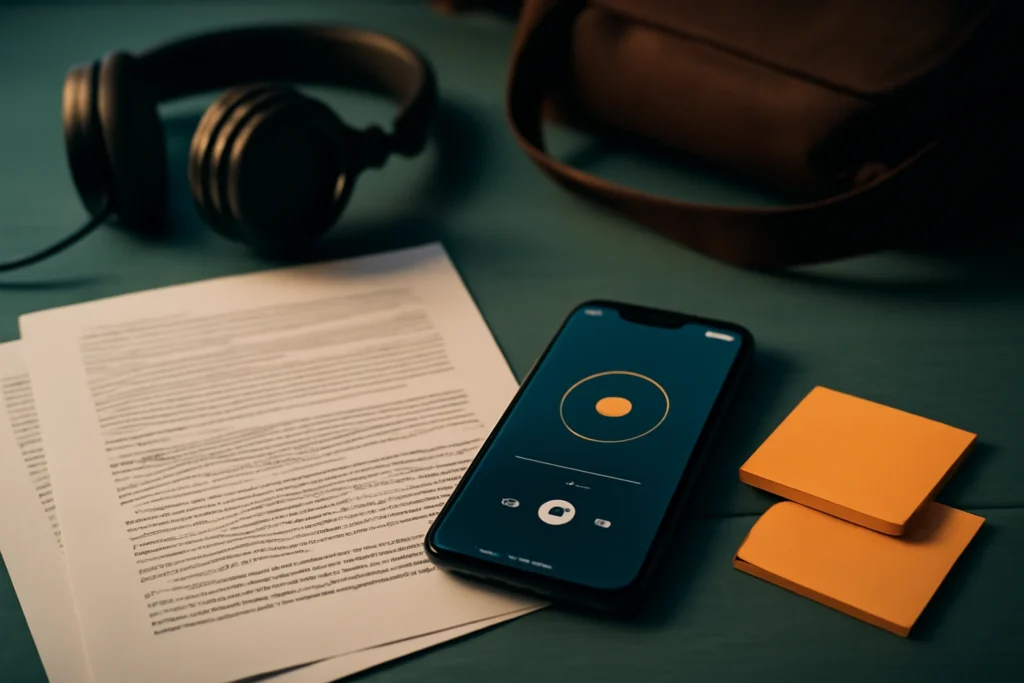
Most speechify vs audible comparisons get messy because they treat both apps like interchangeable audio players. They aren’t. Audible is built to help you acquire and enjoy professionally narrated audiobooks. Speechify is built to help you convert the reading you already have—PDFs, articles, web pages, documents—into audio so you can get through it while moving.
Yes, the end result looks similar (“I’m listening instead of reading”). But the workflow, content availability, and the way you measure value are completely different.
Quick verdict: Speechify or Audible based on what you listen to
Choose Audible if you want professionally narrated audiobooks and a storefront/library
Pick Audible if your core goal is listening to published books with human narration—especially fiction, memoirs, and anything where performance and pacing matter. It’s also the simpler choice if you want a storefront, recommendations, and a library that behaves like a traditional audiobook collection (chapters, series order, consistent metadata).
Choose Speechify if you want to listen to PDFs, articles, web pages, docs, and personal reading
Pick Speechify if your backlog is mostly “stuff you already have”: course readings, long PDFs, research articles, newsletters, work docs, and web pages you open with good intentions and never finish. Speechify is about turning your text into audio, not browsing a massive audiobook catalog.
If you need both: a simple two-app setup (and when it’s worth it)
If your life includes both “I want to enjoy a book” and “I need to get through reading,” using two apps is often the cleanest setup: Audible for the audiobook lane, Speechify for the documents lane. It’s worth it when you actually finish audiobooks and you regularly convert personal documents—otherwise you end up paying for two subscriptions while only using one.
| Question | Audible | Speechify |
|---|---|---|
| What are you listening to? | Professionally narrated audiobooks | Your own text (PDFs, articles, docs, web pages) |
| What feels “native”? | Buying titles, building a library, pressing play | Importing/capturing text, choosing a voice, listening at your speed |
| Best for | Leisure listening and long-form storytelling | Studying, work reading, and clearing a reading backlog |
speechify vs audible: Core difference in what content you can play
Audible content: purchased titles, included catalog (where available), and library behavior
Audible is built around audiobooks you obtain through its store and subscription system. Your listening experience is tied to the titles you’ve added to your library, and what you can play depends on what’s available in the Audible ecosystem (including region-based licensing).
The upside is consistency: when a title is in your library, it’s packaged for listening—clear chaptering, reliable playback, stable audio quality, and a predictable experience across sessions. The trade-off is that Audible is not designed to help you listen to your own PDFs or web articles in a “import and read” way.
Speechify content: importing files, reading from apps/sites, and a real daily workflow
Speechify is built around content you bring to it: uploaded documents, pasted text, or text you access through supported reading flows. A typical routine looks like this: grab a PDF or article, open/import it, choose a voice and speed, then listen while commuting, cleaning, or walking.
This is where TTS can be genuinely practical: instead of hoping there’s an audiobook version of a document, you just listen to the document. The constraint is input quality. Messy PDFs, odd formatting, headers/footers, tables, and citations can cause pronunciation errors, awkward pauses, or strange emphasis. If you rely heavily on synthetic voices (for narration projects, content creation, or consistent voice quality), you may also want to compare Speechify with more voice-focused tools in our ElevenLabs vs Speechify verdict by use case.
Rights and availability: why “the book you want” may be on Audible but not usable as TTS (and vice versa)
Sometimes the book you want is on Audible with a professional narrator, but you don’t have a legal, usable text file that a TTS tool can read. Other times, you have the text (like a work document, a course handout, or an internal PDF) that has no audiobook version—so Audible can’t help.
Audiobook licensing and text access are different. Having access to an audiobook on Audible doesn’t mean you have a text copy you can convert elsewhere, and having a text copy doesn’t guarantee there’s a matching audiobook production you can buy.
Listening experience: quality, voices, and narration style
Audible narration: human performance, consistency, and long-form comfort
Audible’s core strength is human narration. For long-form books—especially novels, character-driven stories, memoirs, and anything with emotional beats—human performance remains the gold standard for clarity and immersion over many hours.
You’re also getting a predictable level of editorial polish: fewer odd pauses, fewer misread sections, and better handling of dialogue, timing, and tone than most AI voices can deliver on the same material.
AI voice reality: what Speechify does well (clarity, speed) and where it can feel off
Speechify can be excellent for informational reading where the goal is comprehension and throughput. You can typically listen faster than you would with an audiobook narrator, which matters when you’re working through reports, papers, or reading-heavy coursework.
Where Speechify tends to feel weaker is the “performance” side of listening: emotional nuance, character differentiation, comedic timing, or any text that depends on a narrator’s acting choices. You should also expect occasional odd emphasis or name pronunciation—especially when punctuation is inconsistent or the source text has artifacts from OCR.
Speed controls, bookmarks, and re-listening: studying vs leisure
For leisure listening, comfort and consistency usually matter more than maximum speed—an area where audiobook narration tends to win. For studying and work, speed, repeatability, and navigation matter more. TTS listeners often jump around, replay paragraphs, and push speed higher than they ever would for a novel.
Practical takeaway: if you regularly re-listen to segments to learn (not just enjoy), prioritize the tool that makes replaying and navigating your material easiest.
Pricing and value: what you pay for and how costs add up
Audible value model: subscriptions/credits vs buying titles
Audible value depends on how many audiobooks you actually finish. If you consistently complete audiobooks, a subscription/credit model can feel efficient because each finished title is a clear unit of value. If you rarely finish, costs can quietly stack up while your library grows faster than your listening time.
Crucially, Audible spend is about access to specific audiobook productions—not about converting your own reading into audio.
Speechify value model: subscription for TTS features
Speechify is typically a subscription product where value comes from converting and listening to personal reading regularly. The payoff becomes obvious when it replaces hours of silent reading you weren’t getting through—or when it helps you keep up with weekly PDFs and long articles.
If you only occasionally need text-to-speech, the subscription may not make sense. And if your PDFs are consistently messy (scanned images, two-column layouts, heavy footnotes), you may spend real time finding cleaner sources to get a smooth listening experience. For a broader look at how Speechify stacks up against another mainstream TTS reader, see our Speechify vs Natural Reader comparison.
Cost scenarios: three quick ways to decide
- Mostly audiobooks (about a book a month): Audible usually wins because you’re paying for narration you’ll actually finish.
- Heavy document listener (weekly PDFs/articles): Speechify often wins if you truly convert and listen through your reading; otherwise it feels like another subscription you “meant to use.”
- Mixed user: a two-app setup can make sense if you can clearly separate lanes (books vs documents) and you consistently use both.
Ease of use and setup: getting to “play” in under 5 minutes
Audible setup: sign in, get a title, download, play offline
Audible is straightforward: sign in, choose a title, download it, and press play. The content is prepared for listening, and offline playback is generally the expected baseline for an audiobook app.
Speechify setup: install, permissions, import/scan, choose voice, start listening
Speechify setup looks more like configuring a reading workflow. You install it, allow the permissions it needs for your preferred input method, then import a file (or capture text), choose a voice and speed, and start listening.
Your first impression will depend heavily on the first document you test. If your PDF is a scanned image or poorly OCR’d, expect to experiment before it feels smooth. For background on the underlying technology and why OCR quality matters, Wikipedia’s overview of text-to-speech gives a solid, non-marketing explanation.
Device support and offline expectations: where each can frustrate
Audible is designed around offline audiobook listening and tends to behave predictably across phones and tablets. Speechify’s offline reliability depends on how you’re accessing the text you want to listen to: some material is easy to download into the app, and some is tied to web/app access or how the text is captured.
Reality check: if you need guaranteed offline playback for everything you read, test Speechify with your exact documents before committing.
Best for: pick the winner by use case
Commuters: audiobook immersion vs catching up on articles and newsletters
If your commute is “story time,” Audible fits: you press play and stay immersed. If your commute is “catch-up time,” Speechify fits better because you can turn the reading you already avoid into a listenable queue.
Students and exam prep: converting assigned readings vs audiobook learning
Students usually benefit more from converting assigned readings than from searching for audiobook equivalents (which may not exist). Speechify helps when you have lots of PDFs, papers, and notes to cover quickly and repeatedly.
Audible helps when the “material” is actually a book you want to learn from in a narrated format—often popular nonfiction or supplemental reading.
Professionals (PDF/report heavy): speed listening, skimming, and review workflows
If you live in reports, drafts, policies, and long documents, Speechify usually matches the workday better. Listening at higher speeds can help you catch gaps, spot awkward passages, and push through reading that would otherwise stall your schedule.
Audible can still be useful for professional development audiobooks, but it won’t replace reviewing your own material.
Accessibility and neurodiversity needs: when TTS helps most vs when audiobooks are enough
Text-to-speech can be a practical accessibility tool when decoding or sustained reading is the bottleneck, or when attention improves with auditory input paired with highlighting. Speechify is designed around making everyday text listenable.
Audiobooks can be enough if your primary need is enjoying books in an accessible format and the titles you want exist as audiobooks. If your daily needs include forms, emails, PDFs, and web pages, TTS is usually the missing piece.
Feature checklist and deal-breakers (fast scan section)
Audible deal-breakers: ecosystem lock-in and title availability constraints
Audible’s biggest deal-breaker is that it’s centered on its own audiobook ecosystem. What you can listen to is constrained by title availability, licensing, and the fact that it doesn’t function as a general-purpose “read my PDFs” tool.
If your goal is to listen to personal documents, Audible will feel like the wrong tool.
Why speechify vs audible isn’t a fair “one replaces the other” comparison for many users
For many people, this isn’t a replacement decision because the inputs are different: Audible is a destination for audiobooks, while Speechify is a converter for your own text. Calling one “better” without specifying the content type is like comparing a bookstore to a document scanner.
If you want professional narration for leisure reading, Audible solves that cleanly. If you want to consume the reading you already must do, Speechify solves that cleanly. The overlap is the headphone, not the job.
Speechify deal-breakers: voice limitations, messy text, and the “subscription threshold”
Speechify’s deal-breakers are mostly about realism and inputs. AI voices can sound great for clear informational text, but they often fall short for emotional storytelling, character differentiation, and performance-heavy writing.
It also relies on clean, well-structured text. Poorly formatted PDFs can produce awkward output, and the subscription only feels like good value if you convert and listen often enough to justify it.
Final verdict: which one to buy today
Recommendation for “audiobook-first” users
If you primarily want to listen to professionally narrated books, buy Audible first. You’re paying for specific audiobook productions and a consistent long-form listening experience, and that’s hard for TTS to match—especially for fiction and memoir narration. Add Speechify later only if you find yourself buried in PDFs and articles you still aren’t getting through.
Recommendation for “read-your-own-content” users
If your main problem is unfinished reading—PDFs, web pages, reports, class materials—start with Speechify. It turns the content you already have into audio and can be excellent for speed and clarity, with the honest caveat that messy documents and imperfect pronunciation happen.
Recommendation for “need both” users (simple starting plan)
If you truly need both, keep the setup simple: use Audible for narrated books you want to enjoy end-to-end, and Speechify for everything that would otherwise sit unread in your tabs and downloads. For two weeks, assign one clear lane to each app (books vs documents), then keep only what you actually used.
Frequently Asked Questions About speechify vs audible
Is Speechify the same as Audible, or do they do different things?
They do different things. Audible is mainly an audiobook store and listening app for professionally narrated titles. Speechify is a text-to-speech app that turns your own reading—PDFs, web pages, documents, and more—into audio. They overlap in “listening,” but the content sources and overall experience are different.
Can Speechify read Audible books?
Not in the normal, intended way. Audible books are typically protected and meant to be played inside Audible’s app. Speechify reads text you can import or access as readable text (like PDFs or web pages). If you only have an Audible title inside the Audible app, Speechify won’t replace that playback.
Which is better for studying: Speechify or Audible?
Speechify is usually better for studying when the material is your own: PDFs, lecture notes, articles, and handouts you need to review quickly. Audible can be great for learning from professionally produced nonfiction audiobooks, but it won’t convert your class readings into audio the way a TTS app can.
Do I need both Speechify and Audible, or can one replace the other?
Many people end up using both: Audible for professionally narrated audiobooks and Speechify for day-to-day reading like PDFs, emails, and articles. One can replace the other only if your listening is almost entirely “audiobooks only” (pick Audible) or almost entirely “my own documents” (pick Speechify).
Some links in this article are affiliate links. If you buy through them we may earn a commission, at no extra cost to you. It never affects which tools we recommend.
Tools covered in this guide
 Speechify
Turns written content into natural-sounding spoken audio across devices.
From ~$29/mo
Speechify
Turns written content into natural-sounding spoken audio across devices.
From ~$29/mo
 Murf AI
Create and edit AI voiceovers for videos, presentations, courses, and marketing content.
From ~$19/mo
Murf AI
Create and edit AI voiceovers for videos, presentations, courses, and marketing content.
From ~$19/mo
 ElevenLabs
Generates realistic AI speech, voice clones, dubbing, and conversational audio.
From $5/mo
ElevenLabs
Generates realistic AI speech, voice clones, dubbing, and conversational audio.
From $5/mo