descript vs loom: Quick Verdict and Best Use Cases
descript vs loom compared for async updates vs polished videos—recording, editing, sharing, and team rollout. Read for the right pick.
If you’re deciding between descript vs loom, you’re not comparing two “similar video apps.” You’re choosing your team’s default behavior: do you want to send quick async context with almost no friction, or do you want to turn recordings into editable, reusable video assets? This guide breaks down where each tool fits best for status updates, demos, training, and customer walkthroughs—so you don’t end up paying (in money or time) for a workflow you won’t actually use.
Quick verdict: Descript vs Loom in 60 seconds
Descript vs Loom: the fastest way to choose
Choose Loom if your main job is to record your screen/camera quickly, share a link, and get lightweight feedback with minimal setup.
Choose Descript if your main job is to take a recording and shape it into something cleaner—by editing video like text, restructuring sections, and exporting a more polished result you can reuse.
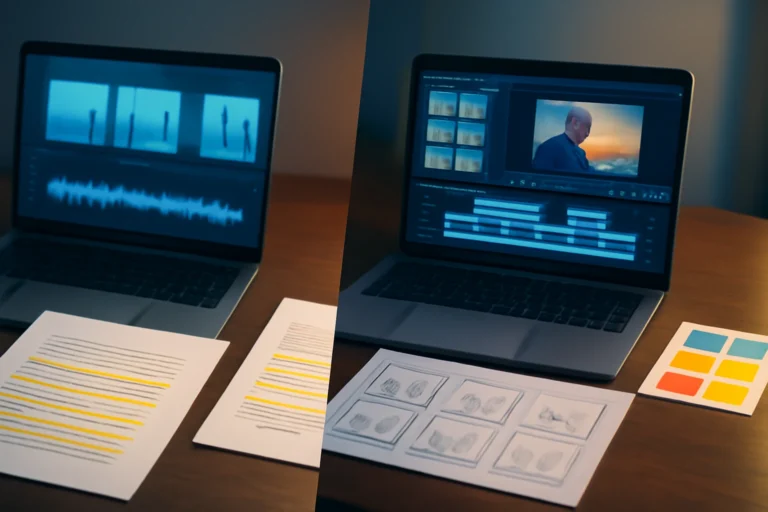
The practical divider is what happens after you hit stop. Loom is designed so you can avoid editing. Descript is designed so editing is normal—even if that means a bit more ramp-up.
Descript vs Loom: what each tool is actually built to do
Loom’s core workflow: record, share, get feedback
Loom’s center of gravity is speed. You record your screen (often with a camera bubble), stop, and immediately share a link. The viewer experience prioritizes fast playback, reactions, and comments so a team can move forward without a formal “edit phase.”
Descript’s core workflow: record/import, edit via transcript, publish
Descript behaves more like an editor than a messenger. You record or import audio/video, generate a transcript, then cut and rearrange the recording by editing text. The point usually isn’t “send a clip,” but refine it into something you’d be comfortable reusing in onboarding, enablement, marketing, or customer education.
Where they overlap (and where the overlap ends)
Both can record screen and camera and help you share video with other people. The overlap typically ends when you need to fix many small mistakes without re-recording, restructure a longer walkthrough, or carve one recording into multiple deliverables. That’s where Descript’s editing model pulls away.
At-a-glance comparison (what you’re really buying)
| Decision factor | Loom | Descript |
|---|---|---|
| Primary job | Async screen/cam messaging | Editing + repurposing recordings |
| Typical “done” moment | Share link right after recording | Export/publish after edits |
| Best for | Sprint updates, bug repros, quick context | Training modules, demos needing polish, reusable assets |
| Editing depth | Light trims and quick fixes | Transcript-based cuts, restructuring, cleanup |
| Team adoption pattern | Easy “default for everyone” | Often owned by a few roles (enablement/marketing) |
Recording experience and speed (camera, screen, audio)
Setup time and friction (desktop vs browser)
For most teams, Loom is the lower-friction start: quick capture, simple sharing, fewer decisions. Descript can record too, but it tends to feel like you’re stepping into an editor. That’s ideal if you expect to refine the recording, and slower if you just want a one-take update.
Reliability for quick takes vs longer sessions
For quick takes—“I need to show you this bug right now”—Loom’s workflow stays smooth because it assumes the clip is disposable. For longer sessions (walkthroughs, training modules, webinars you want to clean up), Descript can be more forgiving because you can correct issues later, as long as you’re willing to do the post-work.
Audio considerations (consistency and cleanup)
Audio quality is often the difference between “fine internally” and “presentable externally.” Loom can capture usable audio fast, but it isn’t primarily a post-production environment. Descript is more oriented toward making audio consistent across a longer piece—just don’t treat automated cleanup as “set and forget.” AI-based processing can create artifacts or odd tone shifts, so plan a final human listen before anything customer-facing.
Editing power and output quality
Loom editing: what you can realistically change after recording
Loom is optimized for speed, not deep post-production. You can typically trim and make small adjustments, but if you need major changes—reordering sections, removing lots of tangents, tightening pacing throughout—you’ll often find it faster to re-record than to try to “save it in editing.” That’s not a weakness; it’s Loom’s underlying bet on velocity.
Descript editing: transcript edits, restructuring, and cleanup
Descript’s advantage is turning edits into a text problem: delete lines in the transcript and the timeline updates accordingly. This makes it practical to tighten long recordings, remove repeated stumbles, and build a clearer narrative without starting over.
If your broader comparison set includes “traditional editor” workflows, you may also want to skim Descript vs CapCut: Quick Verdict + Who Each Is Best For to sanity-check whether you want transcript-first editing or a more classic timeline approach.
When “AI editing” helps and when it backfires
AI features are useful for transcription, rough-cutting, and cleanup suggestions. They can also introduce problems: mis-transcriptions that change meaning, cuts that feel jumpy, or audio that sounds processed. The safest workflow is simple: use AI to get to 80%, then do a deliberate review pass before publishing anything that represents your team externally.
Sharing, hosting, and viewer experience
Link sharing, permissions, and access control
Loom is link-first by design: record, share, move on. Descript can share outputs too, but it’s usually approached as a production/export step rather than the core product. If your default workflow is “drop a link in Slack and keep going,” Loom will feel more natural.
Viewer UX: playback, comments, reactions, and fast feedback loops
Loom’s viewer experience is tuned for feedback loops: comments, reactions, quick scanning, and async clarification. That’s especially valuable for product and engineering updates where the goal is shared understanding, not polish. With Descript, the viewer experience is generally not the main event; the strength is what you can improve before anyone sees the video.
Where the video lives long-term (libraries and maintainability)
Be honest about the end state you’re building. A Loom-heavy culture often creates a large library of short context clips that are helpful in the moment but can sprawl. A Descript-heavy culture can produce a smaller set of curated assets that stay useful longer—but only if someone owns maintenance, updates, and naming conventions.
Collaboration and team rollout
Team adoption: “everyone records” vs “owners produce”
Rollouts succeed when the default behavior is clear. Loom tends to become a universal default because almost anyone can use it immediately. Descript often works best when a few owners (enablement, marketing, support education) are responsible for video quality and reuse—so the team gets consistency instead of a thousand slightly different versions.
Review cycles: comments, approvals, and versioning
For quick review cycles—“is this accurate?” “can you clarify at 0:42?”—Loom is hard to beat. For iterative production where you do multiple passes to tighten messaging, Descript’s editing-centric workflow is the better fit, but it benefits from process: who reviews, what “done” means, and where the final version lives.
Onboarding and training requirements for non-editors
Teams often underestimate this. Descript is approachable, but it still feels like editing software. If you expect Loom-level simplicity for every contributor, you’ll slow down at first. A practical rollout is to define “record-and-send” vs “produce-and-publish,” give the producers a short enablement session, and provide lightweight templates (intro/outro, naming rules, folder structure).
Pricing and total cost of ownership (what you’ll actually pay for)
Typical pricing structures to expect
Both tools commonly offer a free tier plus paid, seat-based plans. Your real cost is driven by how many people need to create (record/edit) versus how many only need access to watch and comment. Avoid the trap of paying creator-level access for everyone if your workflow doesn’t require it.
Hidden costs: time spent editing vs time spent re-recording
The hidden cost with Loom is the re-record tax: if the video must be polished, you may repeat takes until it’s “good enough.” The hidden cost with Descript is edit time (plus training time) to use it well. A realistic rule: if you often say “I wish I could just fix that one line,” you’ll feel Descript’s advantage quickly.
What to standardize to prevent team sprawl
Standardize three things: when to use a Loom-style message, when to produce an edited asset, and how videos are named/organized so they stay findable. Without standards, you’ll end up with scattered links, duplicated walkthroughs, and inconsistent quality that no one trusts.
Best-for scenarios (pick based on your primary workflow)
Best for internal async updates and fast context sharing
Pick Loom when the goal is speed and clarity: sprint updates, bug reproductions, quick stakeholder context, and async standups. You’ll get the most value when “good enough now” beats “perfect later.”
Best for customer-facing demos and reusable training content
Pick Descript when the same content will be watched multiple times by customers or new hires. The ability to tighten pacing, remove mistakes, and keep a consistent standard matters more than recording speed.
Best for teams already doing longer recordings (calls, webinars, podcasts)
If you’re turning longer sessions into edited deliverables, Descript is usually the better fit. Loom can capture the moment; Descript is better at turning that moment into an asset you can publish again and again.
If your use case is closer to “high-quality recording first, then decide how much editing is needed,” you might also compare with a recording-forward option in Descript vs Riverside: Best Recording + Editing Tool in 2026.
Final verdict and decision checklist
Choose Loom if you want a simple record-and-send default
- You primarily need async updates and quick context sharing.
- Your videos are mostly internal and time-sensitive.
- You want the easiest rollout for non-editors.
Choose Descript if editing and reuse are part of the job
- You expect to edit often: restructuring, tightening, cleanup, and reusing segments.
- You create customer-facing or training videos where polish and consistency matter.
- You can handle a short ramp-up period and assign ownership for quality control.
If you’re still torn: the 5-question checklist to decide today
- Is the primary output a fast message or a reusable asset?
- Will you edit more than you re-record?
- Who needs to create videos—everyone or a few owners?
- Do you need fast feedback loops (comments/reactions) or a polished publish step?
- Can you commit to a final review pass to catch transcript or cleanup mistakes?
If neither option fits cleanly—common if you need different tools for different teams—use Descript alternatives: a workflow-first guide to choosing right to map requirements (recording, editing depth, hosting, collaboration) to a more flexible stack.
Frequently Asked Questions About descript vs loom
Is Descript better than Loom for screen recording?
It depends on what happens after you record. Loom is usually better for fast screen recording and sharing with minimal setup. Descript is better when the recording is only the start and you expect to edit, restructure, or repurpose the video into a more polished asset.
Can you edit Loom videos like you can in Descript?
Not to the same depth. Loom supports light edits, but it’s optimized for speed and re-recording if something is off. Descript is built for transcript-based editing, restructuring, and cleanup—great for iterative edits, but it takes more learning and still benefits from a final review to catch AI mistakes.
Which is better for team knowledge sharing: Descript or Loom?
Loom is often better for quick, searchable context sharing with comments and lightweight feedback. Descript can be better when knowledge needs to become durable training content (edited, standardized, and republished). Many teams use Loom for day-to-day updates and Descript for “evergreen” internal videos.
Do I need Descript if I only make quick internal updates?
Probably not. If your workflow is record → send → done, Loom is usually the simpler fit. Descript becomes worth it when you frequently need to fix mistakes without re-recording, remove filler, reuse segments, or turn the same recording into multiple outputs.
Some links in this article are affiliate links. If you buy through them we may earn a commission, at no extra cost to you. It never affects which tools we recommend.
Tools covered in this guide
 Descript
Edit video and podcasts by editing transcripts with AI-assisted production tools.
From ~$12/mo
Descript
Edit video and podcasts by editing transcripts with AI-assisted production tools.
From ~$12/mo
 Veed.io
Browser-based video editing with AI captions, cleanup, and content repurposing tools.
From ~$12/mo
Veed.io
Browser-based video editing with AI captions, cleanup, and content repurposing tools.
From ~$12/mo
 InVideo
Create and edit videos from prompts, scripts, stock media, and templates.
From ~$20/mo
InVideo
Create and edit videos from prompts, scripts, stock media, and templates.
From ~$20/mo