HeyGen vs Pictory: Which Should You Choose and Why?
HeyGen vs Pictory: compare avatars vs repurposing workflows, quality, and costs so you can pick the right tool faster. Read the breakdown.
Intro: What this comparison is (and isn’t)
The fastest way to choose between heygen vs pictory is to stop treating them like interchangeable AI video apps and match them to the work you actually need to ship this week. This comparison is for marketers and creators who want workflow fit—not a glossy feature checklist that ignores what breaks mid-production.
Context that matters: output quality rises or falls with input quality. A clean script, correct pronunciations, and usable source audio/video still matter. These tools can reduce editing time, but they won’t rescue weak source material.
Who each tool is for at a glance
HeyGen is for producing avatar-led presenter videos from a script—especially when filming is the bottleneck and you need repeatable, template-driven output. Pictory is for turning scripts or long videos into edited, captioned content—especially highlights for short-form distribution.
The core question this article answers: which tool fits your workflow
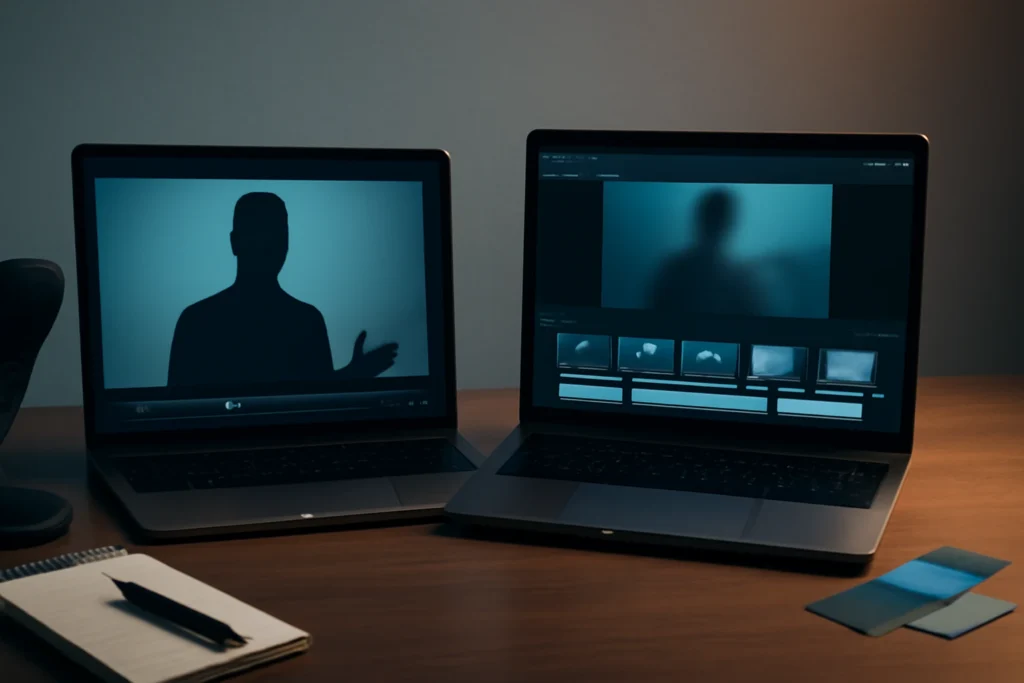
This comes down to one decision: do you need a “talking presenter on screen” production line, or an “edit and repurpose existing content” pipeline? Pick the lane first, then the tool choice becomes much clearer.
Quick verdict: heygen vs pictory (choose based on your goal)
Pick HeyGen if you need avatar-led presenter videos fast
Choose HeyGen when your bottleneck is putting a spokesperson on camera, coordinating schedules, or localizing voiceovers. It’s a strong fit when the deliverable is presenter-style video where the avatar is the central visual element and you want a repeatable structure for batches of content.
Pick Pictory if you need to turn scripts or long videos into edited content quickly
Choose Pictory when your bottleneck is editing: creating reels, shorts, and social snippets from webinars, podcasts, interviews, demos, or recordings. It’s at its best when you already have long-form material (or a script) and need quick assembly: captions, pacing, and b-roll-style visuals that get you to a first cut fast.
The one reason to consider using both (only when the workflow demands it)
Using both can make sense if you want an avatar-led intro/outro plus repurposed highlight clips in the middle, or if you need a consistent “presenter” for updates while still relying on long-form repurposing for volume. The tradeoff is real: two tools can mean two export pipelines, two revision loops, and more handoffs to manage—especially on a small team.
What each tool actually produces (a reality check)
HeyGen output: presenter videos built from scenes
HeyGen is built around assembling a video through scenes: choose an avatar, add a script (or narration), then lay out a sequence with templates and backgrounds. The practical output is a presenter-led clip you can publish as an ad, product explainer, update, or training snippet—especially when you value speed and consistent delivery across many videos. If you’re weighing similar avatar-first options, this HeyGen alternatives guide helps you pick based on use case and budget.
Pictory output: script-to-video and repurposed highlights with captions
Pictory’s core outputs are edited sequences built from text and/or existing footage. You can create a video from a script, or extract highlight moments from a long recording and format them for social. It’s also oriented around captions and watchability—useful when your audience watches on mute or scrolls fast.
What you can publish today without extra tools
- Presenter-centric videos: typically faster in HeyGen; Pictory isn’t primarily a “talking avatar” workflow.
- Short clips from long recordings: usually faster in Pictory’s repurposing flow than rebuilding from scratch.
- Caption-first social edits: Pictory often gets you to a usable cut quickly, assuming your transcript is clean.
- Template-driven spokesperson ads: HeyGen is commonly the more direct path to consistent variants.
Both tools are best treated as production accelerators. If you need complex motion design, exact brand animation, or frame-accurate edits, plan a finishing step in a dedicated editor.
Setup and workflow: time-to-first-video and team usability
Getting started: what to prepare before you open either tool
Your first 15 minutes go better if you already have a publishable script, a logo, brand colors, and a clear target format (landscape vs vertical). HeyGen tends to start from “choose an avatar + scene layout,” while Pictory tends to start from “import a script or long video and generate a cut.” If your source footage has noisy audio or unclear speakers, expect more manual cleanup either way.
Editing experience: scene control vs edit control
HeyGen’s editing feels closer to building slides: refine scenes, adjust layouts, and iterate voice delivery and timing. Pictory is more edit-oriented: trim, select highlights, swap visuals, and correct captions. Neither approach is “better” universally—each is optimized for a different bottleneck.
Collaboration and approvals: what revisions look like in practice
Where your approval cycles slow down depends on the format. Avatar videos usually trigger feedback on pronunciation, tone, pacing, and whether the presenter feels natural for the brand. Repurposed clips trigger feedback on whether the selected moment is actually the right highlight, whether captions are correct, and whether b-roll choices match the message. Factor these revision loops into your decision, not just “time to first draft.”
Output quality: where each tool looks strong (and where it cracks)
Avatar realism, lip-sync, and the uncanny valley risk
HeyGen can look convincing when scripts are short, delivery is natural, and you avoid tricky names or unusual pronunciations. It can fall apart when lip-sync feels off, pacing gets robotic, or facial motion lands in the uncanny valley. If your brand is sensitive to “AI presenter” vibes, test with your real script (including your hardest product names) before committing.
Stock footage relevance and visual consistency
Pictory’s quality hinge is whether the automatically selected visuals match your message and your audience. Generic b-roll can feel random or repetitive if your topic is technical or niche. Plan on replacing some visuals and tightening sequences so the final video reads like one story, not a collage of loosely related clips.
Captions, pacing, and voice: what viewers notice immediately
For short-form, caption accuracy and pacing often matter more than fancy transitions—especially on mute. Pictory brings that caption-and-pacing workflow to the front. In HeyGen, perceived quality often rises or falls with voice delivery and scene timing. If you have to fix dozens of caption lines or re-render repeatedly to land timing, “fast” turns into slow.
Use-case matchups: which tool wins by scenario
Social ads with a spokesperson on-screen
HeyGen is usually the stronger fit when the concept requires a presenter addressing the camera, delivering a tight script, and staying consistent across variants. You still need good copy and a clear offer—no avatar fixes a vague message.
Training, onboarding, and internal updates
HeyGen can work well for short, repeatable internal updates where filming is the bottleneck. Pictory can be better when you’re converting longer recordings (like team updates or presentations) into digestible segments with readable captions and clean pacing.
YouTube Shorts and reels from long recordings and webinars
Pictory tends to win when the main task is extracting highlights, tightening pacing, and formatting vertical clips. HeyGen can support shorts when the format is scripted and presenter-led, but it’s not designed around mining existing footage for the best moments.
Blog/article-to-video and SEO-content repurposing
If your process is “turn an article into a quick video draft,” Pictory’s script-driven assembly is often a closer match. If you prefer an on-screen presenter delivering a structured explanation, you can still do it in HeyGen—but expect more time spent on scene decisions and delivery. If you’re also exploring tools with real free tiers for text-to-video experiments, this guide to free AI text-to-video generators can help you sanity-check expectations before subscribing.
Pricing and cost drivers: what you’ll actually pay for
The costs that scale: minutes, exports, and plan limits
For both tools, real costs often scale with how many minutes you generate, how many exports you need, and whether your plan removes watermarks and supports commercial usage. Features and limits change frequently, so confirm current allowances (minutes, exports, and rights) before you buy.
When “cheap” becomes expensive: revisions and manual fixes
Pictory can get expensive in time if you constantly replace mismatched visuals, correct captions, or re-cut pacing across many clips. HeyGen can get expensive in time if you rewrite scripts to avoid mispronunciations, re-render scenes for timing, or iterate to reduce “AI presenter” artifacts. In most real teams, the biggest cost driver is revision cycles, not the subscription line item.
Buyer’s checklist before subscribing
- Plan limits that affect weekly volume (minutes generated, exports, and any caps)
- Watermark rules and which plan removes it (if you publish commercially)
- Commercial rights and brand usage terms for client work
- Language/voice/resolution limits that affect deliverables
- Team/collaboration options if approvals are part of your workflow
A 10-minute test checklist before you decide
The 3 assets to prepare
- A 60–90 second script you would actually publish (include a tricky product name if you have one)
- Your logo and brand colors (a simple palette is fine)
- A 5–10 minute sample long video with real audio quality (webinar, interview, demo, or podcast recording)
The 5 tests to run in each tool for heygen vs pictory
- Export quality: render once at your target resolution and check artifacts, sharpness, and audio sync.
- Caption accuracy: review 30–60 seconds and count how many lines need manual correction.
- Turnaround: time how long it takes to get from import to a stakeholder-ready draft.
- Edit friction: make three changes (swap a scene/visual, shorten a section, adjust pacing) and note how painful it is.
- Consistency: create a second video using the same assets and see if your style repeats cleanly.
Decision rule: the metric that should decide for your team
Pick the tool that yields the highest percentage of “publishable minutes per hour of work” in your real workflow—not the prettiest demo output. If you’re comparing avatar tools more broadly, you may also want to read HeyGen vs Synthesia to sharpen what “good enough” looks like for training, marketing, and localization.
Final recommendations by persona
If you’re a solo creator
If you want presenter-led content without filming, lean HeyGen. If your engine is repurposing podcasts, webinars, or interviews into clips, lean Pictory. Paying for both only makes sense if you can point to two distinct content lines you’ll ship every month.
If you’re a marketing team shipping weekly videos
Decide based on the primary format you publish: spokesperson ads and product updates (HeyGen) versus ongoing highlight clips and caption-first social edits (Pictory). If brand standards are strict, plan for a finishing step in a dedicated editor regardless of which tool you pick.
If you’re an agency managing multiple clients
Agencies usually do better standardizing one workflow per client type: avatar-led explainer packs versus repurposing packs. Whichever you choose, build QA around predictable failure modes—pronunciation, lip-sync, b-roll relevance, and caption correctness—because that’s what clients react to first.
Frequently Asked Questions About heygen vs pictory
Is HeyGen better than Pictory for YouTube shorts and reels?
It depends on the source. If your shorts need an on-screen presenter or avatar narration, HeyGen is usually the better fit. If you’re turning webinars, podcasts, or long recordings into highlight clips with captions, Pictory is often faster. If possible, test both on the same footage before committing.
Can Pictory create talking avatar videos like HeyGen?
Pictory is primarily built for script-to-video and repurposing long-form content into edited clips with captions and b-roll. It isn’t focused on realistic talking avatar presenters the way HeyGen is. If avatar-led delivery is the core requirement, you’ll generally evaluate HeyGen (or similar avatar tools) first.
Which is easier for beginners: HeyGen or Pictory?
Beginners who want a presenter-style video from a script often find HeyGen straightforward because the workflow is scene-based and template-driven. Beginners who already have a long video and want clips may find Pictory easier because it’s oriented around highlights and captions. In both cases, results depend heavily on input quality.
What should I test during the free trial to decide between HeyGen and Pictory?
Use a real script and a real long video (if you repurpose content). Track how often you need manual fixes: pronunciation, timing, captions, b-roll relevance, and export settings. Also confirm current plan limits (minutes, exports, watermarking, and commercial rights), since pricing and features change frequently.
Some links in this article are affiliate links. If you buy through them we may earn a commission, at no extra cost to you. It never affects which tools we recommend.
Tools covered in this guide
 Descript
Edit video and podcasts by editing transcripts with AI-assisted production tools.
From ~$12/mo
Descript
Edit video and podcasts by editing transcripts with AI-assisted production tools.
From ~$12/mo
 Veed.io
Browser-based video editing with AI captions, cleanup, and content repurposing tools.
From ~$12/mo
Veed.io
Browser-based video editing with AI captions, cleanup, and content repurposing tools.
From ~$12/mo
 InVideo
Create and edit videos from prompts, scripts, stock media, and templates.
From ~$20/mo
InVideo
Create and edit videos from prompts, scripts, stock media, and templates.
From ~$20/mo