pictory ai vs invideo: Picking the Right Tool for Your Workflow
pictory ai vs invideo compared by workflow, quality, repurposing, and pricing limits—plus a checklist and scenarios to decide. Read on.

Intro: Who these tools are for and what this comparison covers
If you’re stuck choosing pictory ai vs invideo, the real decision isn’t “which one has more features?” It’s which editor matches how you actually publish: repurposing text into captioned clips at speed, or building designed, template-led marketing creatives with more hands-on control.
Both tools can turn scripts and assets into social-ready videos. The difference shows up in the day-to-day: how you start a project, how you edit, how you keep branding consistent, and how painful (or painless) revisions feel once you’re on a weekly content schedule.
What you’ll be able to decide by the end
You’ll be able to pick the better fit for three common workflows: (1) repurposing long-form content into shorts, (2) producing template-led promos and ads quickly, and (3) running a review-friendly process for clients or teammates. The aim is a practical verdict you can apply immediately, not a spec-sheet parade.
Assumptions for a fair comparison
Assume you’re starting with the same inputs (a blog post or script, a few brand assets, and optional existing footage) and shipping the same formats (vertical short-form plus a square or landscape variant). Also assume you care about speed, basic branding, captions, and a level of polish that’s strong enough for organic social and straightforward paid placements.
pictory ai vs invideo: Quick verdict (if you’re choosing today)
pictory ai vs invideo for repurposing: which is faster to publish?
If your raw material is text (a blog post, script, outline, or talking points) and your goal is a clean, captioned video you can publish the same day, Pictory is usually the faster path to “done.” Its scene-based workflow makes it easy to generate a first cut, trim, swap visuals, adjust pacing, and export without feeling like you’re building a design from scratch.
Best choice for template-led marketing videos and ads
If your process starts with “pick a proven layout, then adapt it,” InVideo is often the better daily driver. It tends to reward a template-first mindset: you select a style that already looks like a finished ad, then drop in your copy, clips, brand elements, and variations (new hook, updated offer, alternate CTA) with fewer structural changes.
Best choice for beginners vs teams (speed, control, review flow)
For solo creators who want a guided workflow and consistent output, Pictory is typically easier to standardize. For small teams producing repeated ad creative or managing client revisions where layout precision matters, InVideo can be the smoother fit because it supports a more hands-on editing approach and repeatable template production.
Head-to-head workflow: From idea to finished video
Starting points: script, blog post, URL, existing footage
Pictory is most comfortable when you start with text and want the tool to help you break it into scenes with captions, stock visuals, and a sensible pace. InVideo can also begin from a script, but it often feels best when you start with a concept and a template, then shape the story by designing each beat into that layout.
Editing model: scene-based assembly vs timeline-style control
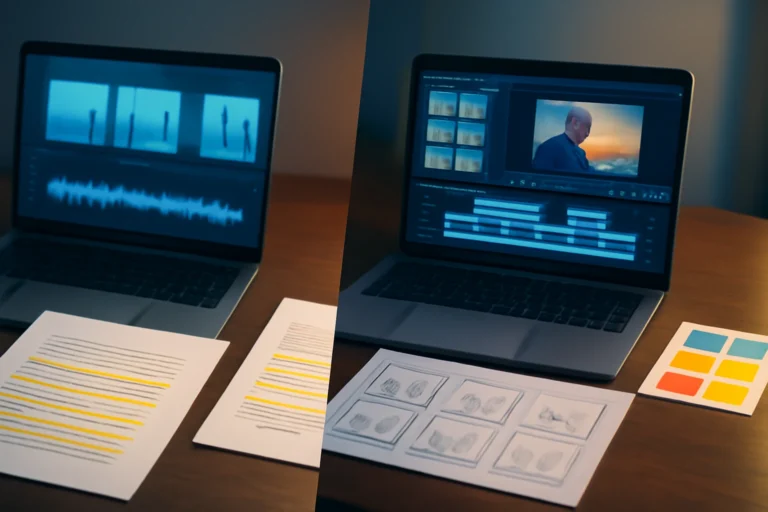
Pictory’s scene-based editing is efficient for “one idea per beat” social videos. You adjust scene duration, swap visuals, change text, and iterate quickly without getting lost in layers. InVideo generally feels closer to a timeline-style editor, which helps when you need tighter control over overlays, multiple elements on screen, and how assets stack and animate.
Brand consistency: fonts, colors, logos, recurring layouts
Both tools can handle basic branding, but they encourage different kinds of consistency. Pictory is strong for repeatable caption styling and fast brand application across many repurposed clips. InVideo can be stronger for locking a specific visual layout across a campaign, especially if your team reuses templates to keep a consistent “ad system” look.
Output quality: How “professional” the videos look
Template and motion graphics quality
If “professional” means designed scenes with motion graphics that look like a finished marketing asset, InVideo’s template ecosystem can give you a head start. Pictory typically produces a cleaner, simpler look that works well for education, commentary, and captions-first content where clarity matters more than heavy design.
If you’re weighing options because neither feels like a perfect match, it can help to skim a workflow-based alternative guide before you commit: Pictory alternative: step-by-step pick + migration framework.
Stock footage relevance and visual variety
Both tools depend heavily on stock libraries, and automation won’t always understand your niche. Expect to manually replace clips when suggestions are too literal, off-brand, outdated, or just visually repetitive. If audience trust matters (health, finance, legal, B2B), plan time for curation rather than assuming the first draft is safe to publish.
Pacing, transitions, and social-platform polish
Pictory makes it easy to reach a watchable pace quickly, especially for captioned shorts. InVideo gives you more room to sculpt pacing through designed transitions and repeatable visual motifs (useful for ads and branded series). Neither replaces a dedicated NLE for complex motion design or beat-matched edits, but both can produce strong social output once you apply a consistent editing checklist.
AI features that matter in real publishing workflows
Voiceover: naturalness, pronunciation, and rework time
Both platforms offer AI voiceover, and both can sound good or fall apart depending on the script. The practical differentiator is how quickly you can fix issues: pronunciation tools for brand names, pace control, and the ability to regenerate only the problem sentence instead of rebuilding an entire track. Regardless of tool, do a full listen before exporting final deliverables.
Captions: styling, accuracy, and export needs
Captions are table stakes for Shorts, TikTok, and LinkedIn. Both tools can get you most of the way there, but you should still expect cleanup: timing, punctuation, emphasis, and occasional mis-hearings. Also decide early whether your workflow needs hardcoded captions (burned in) or subtitle files, since availability can differ by plan and export mode.
Automation quality: how often you’ll manually fix scenes
Automation helps most at the start. In both tools, you’ll typically adjust the first 2–3 seconds (hook clarity), remove filler beats, and swap visuals that don’t match context. Treat AI output as a draft edit and build your process around a fast human pass.
Repurposing performance: Turning long-form into shorts
Blog/article to video: structure and coherence
Pictory is built for turning text into a structured sequence of scenes with captions, so it’s generally quicker to reach a coherent first draft. You’ll still want to rewrite for spoken rhythm (shorter sentences, fewer nested clauses) and refine scene choices for niche accuracy. InVideo can handle blog-based videos, but it often feels like you’re fitting text into a design template rather than letting structure emerge naturally from the content.
Long video to highlight clips: where each tool fits
If your workflow includes chopping webinars, podcasts, or YouTube videos into highlights, prioritize whichever gives you the fastest path to “identify the moment, format vertically, caption, export.” Many creators still use a specialized clipping workflow or a traditional editor for precise cut points and speaker framing, then use Pictory or InVideo for packaging and branding.
When repurposing is the main output vs occasional
If repurposing is your primary deliverable (weekly long-form turned into daily shorts), Pictory usually wins on throughput. If repurposing is occasional—and most of your output is designed promos, offers, or product-led ads—InVideo’s template-forward approach can make more sense long-term.
Pricing and value: What you’re actually paying for
How to compare plans without relying on outdated price points
Both tools typically use tiered plans (individual entry levels, then higher tiers for more exports, longer projects, and additional features). Because inclusions and limits change, validate the current plan details right before you commit—especially around watermarks, stock rights, export resolution, and any caps tied to minutes or usage.
Limits that matter: exports, minutes, voice usage, stock licensing
The limits that tend to hit first are export caps, video length/minutes, AI voice usage, and what “stock access” really means for commercial work. If you publish at volume, also check whether you can separate multiple brands/projects cleanly and whether collaboration features are included at the tier you’re considering.
Value by user type (including invideo vs pictory cost comparisons)
As a rule of thumb, Pictory tends to be the better value when speed-to-publish from text is the core deliverable. InVideo can be better value when templates save real design time across many campaign variations. If you’re weighing invideo vs pictory mostly on cost, compare the limits you’ll hit weekly—exports, voice minutes, and licensing—rather than the headline monthly number.
Ease of use and collaboration: Speed, reviews, and client handoff
Learning curve by user type
Creators who dislike “editing” often prefer Pictory’s guided, scene-based approach. People with any timeline-editor experience may feel more at home in InVideo because it supports a more manual, layout-driven process. The best predictor is how you think: scripts and beats (Pictory) versus layers and layouts (InVideo).
Review and iteration: approvals, revisions, and predictable changes
For client work, the key question is how quickly you can incorporate feedback without breaking formatting. Template-driven builds in InVideo can make revisions like “swap this shot, change the offer text, keep everything aligned” straightforward. Pictory revisions are usually faster when feedback is about narrative flow, trimming scenes, refreshing visuals, and tightening captions.
Reliability basics: rendering, UI friction, and common slowdowns
Expect occasional friction in either tool: rendering queues, slower performance on heavy projects, and UI quirks around timing and text. The strongest workaround isn’t tinkering—it’s process. Use standard durations, keep a saved brand kit, and define what “done” looks like so you don’t burn hours polishing details that won’t move performance.
Which one should you choose? Decision checklist + scenarios
If you’re still deciding, pick based on the workflow you’ll repeat weekly—not a one-off project. If you also want to see what else is competitive in the same category, our InVideo AI competitors guide breaks down alternatives by workflow rather than by feature count.
Choose Pictory if your workflow looks like this
- You primarily convert scripts, blog posts, or talking points into social videos.
- You want the fastest path from text to a captioned draft you can polish.
- Your priority is pacing and readability for captions-first publishing.
- You’re fine doing manual cleanup after the automated draft (visual swaps, hook tightening).
- You don’t need complex motion design or precise beat-matching.
Choose InVideo if your workflow looks like this
- You build template-led promos, marketing videos, and ads regularly.
- You want more hands-on control over layout, overlays, and timing.
- You need multiple variants fast (new hooks/offers/lengths) from a base design.
- Your team/client process depends on predictable template revisions.
- You’re comfortable spending extra time dialing in the visual style.
Three scenarios with a clear winner
Scenario 1: Blog-to-LinkedIn video (30–60 seconds). Winner: Pictory. You’ll move from article structure to scene structure faster, then refine captions and swap visuals for relevance.
Scenario 2: TikTok repurpose from a weekly YouTube script. Winner: Pictory if you’re producing at volume and need speed. Winner: InVideo if your TikToks depend on consistent designed layouts and you want more manual control.
Scenario 3: Simple ad creative (UGC-style template with offer text, 3–5 variants). Winner: InVideo. Starting from a proven template and producing variations is usually quicker than rebuilding scene-by-scene.
Final verdict: pick the tool you’ll actually stick with
In pictory ai vs invideo, the deciding factor is whether your weekly output is repurposed content (lean toward Pictory) or designed, template-led marketing edits (lean toward InVideo). Whichever you choose, run one real project end-to-end—draft, revisions, captions, and export—so you’re judging the full workflow, not just the first impression.
Frequently Asked Questions About pictory ai vs invideo
Is Pictory or InVideo better for turning blog posts into videos?
For blog-to-video work, Pictory is usually the better fit because it’s designed to turn text into scenes quickly and then let you polish pacing, visuals, and captions. InVideo can do blog-based videos too, but it tends to shine more when you start from a template and manually shape the story into that design.
Which is easier for beginners: Pictory or InVideo?
If “easy” means the fastest path to a publishable video from a script or article, Pictory is typically simpler because the workflow is more guided. If “easy” means picking a template and adjusting it in a more traditional editing style, many beginners find InVideo intuitive—just expect more hands-on tweaking to get the look right.
Does InVideo or Pictory have better AI voiceovers and captions?
Both offer AI voice and captioning, but results depend on your language, accent requirements, and how much pronunciation control you need. Plan to review and fix mispronunciations and caption timing in either tool. Caption styling and export options can also vary by plan, so check what’s included in the tier you’re using.
Can I use Pictory or InVideo videos for commercial ads and client work?
Often yes, but it depends on the plan’s licensing terms, stock asset rights, and any watermark rules. Because limits and terms can change, confirm current commercial usage and stock licensing details before producing client deliverables or paid ads—especially if you’re relying on built-in stock footage or AI voices.
Some links in this article are affiliate links. If you buy through them we may earn a commission, at no extra cost to you. It never affects which tools we recommend.
Tools covered in this guide
 Descript
Edit video and podcasts by editing transcripts with AI-assisted production tools.
From ~$12/mo
Descript
Edit video and podcasts by editing transcripts with AI-assisted production tools.
From ~$12/mo
 Veed.io
Browser-based video editing with AI captions, cleanup, and content repurposing tools.
From ~$12/mo
Veed.io
Browser-based video editing with AI captions, cleanup, and content repurposing tools.
From ~$12/mo
 InVideo
Create and edit videos from prompts, scripts, stock media, and templates.
From ~$20/mo
InVideo
Create and edit videos from prompts, scripts, stock media, and templates.
From ~$20/mo